Khi AI bot đổ bộ: Bài học production về rate limiting, edge caching và observability sau một lần lên trang chủ Hacker News
Phân tích thực chiến cách xử lý traffic bot AI bất ngờ sau khi bài viết lên top HN: Cloudflare Workers, rate limiting theo fingerprint, edge caching strategy, và việc instrument observability để phát hiện sớm.
· 7 min read

Ảnh: Negative Space, CC0 qua openverse (nguồn)
Sáng thứ Ba tuần trước, bài viết về local-first RAG của team mình lên top 3 Hacker News. Traffic nhảy từ ~200 requests/ngày lên 40k requests trong 2 giờ đầu. Bình thường đây là lúc team mở champagne, nhưng thực tế là… trên dashboard Cloudflare, 78% traffic mang user-agent chứa “GPTBot”, “ClaudeBot”, “PerplexityBot”, “Applebot”, và một đống tên lạ khác mà tôi chưa từng thấy.
Không phải người đọc. Là bot.
Bối cảnh: Infrastructure của site này
Site chạy trên Astro static site, deploy lên Cloudflare Pages. Không có origin server, không có Kubernetes, không có load balancer phức tạp. Chỉ có Cloudflare edge network + Workers cho một số dynamic feature (search, view counter, webmention endpoint).
Kiến trúc đơn giản, chi phí gần như bằng 0, và… hoàn toàn không có chuẩn bị cho bot traffic quy mô lớn.
Vấn đề: Bot không đọc robots.txt
Nhìn access log, tôi thấy pattern rõ rệt:
GET /blog/local-first-rag/ HTTP/1.1" 200 "-" "Mozilla/5.0 (compatible; GPTBot/1.0; +https://openai.com/gptbot)"
GET /blog/local-first-rag/ HTTP/1.1" 200 "-" "Mozilla/5.0 (compatible; ClaudeBot/1.0; +https://anthropic.com/claude)"
GET /blog/local-first-rag/ HTTP/1.1" 200 "-" "Mozilla/5.0 (compatible; PerplexityBot/1.0; +https://perplexity.ai/bot)"
GET /blog/ HTTP/1.1" 200 "-" "Mozilla/5.0 (compatible; Applebot/0.1; +https://support.apple.com/HT204683)"
GET /blog/rebuilding-site/ HTTP/1.1" 200 "-" "Mozilla/5.0 (compatible; Bytespider; +https://bytespider.com)"
Chúng không đọc robots.txt. Chúng không respect Crawl-delay. Chúng crawl song song, aggressive, và quay lại sau vài phút.
Điểm mấu chốt: Cloudflare Pages serve static asset từ cache, nên origin không bị áp lực. Nhưng Workers (search API, view counter) bị gọi liên tục. Và quan trọng hơn: analytics bị nhiễu hoàn toàn. Bạn không biết bao nhiêu người đọc thật, bounce rate như thế nào, time-on-page ra sao.
Giải pháp lớp 1: Cloudflare Bot Fight Mode + Super Bot Fight Mode
Bật xong. Kết quả: ~60% bot traffic bị chặn ở edge. Còn lại 40% lướt qua vì:
- User-agent giả mạo browser thật (Chrome trên Windows/Mac)
- IP từ residential proxy pool
- Behavior mimic human: random delay, scroll simulation, click link
Super Bot Fight Mode dùng ML fingerprinting (TLS fingerprint, HTTP/2 settings, header order). Tốt, nhưng false positive rate ~2% theo doc của Cloudflare. Với site nhỏ, 2% reader thật bị chặn là không chấp nhận được.
Giải pháp lớp 2: Rate limiting ở Workers level
Vì search API và view counter chạy trên Workers, tôi viết middleware rate limit theo fingerprint thay vì IP:
// workers/middleware/rate-limit.ts
export async function rateLimitMiddleware(request: Request, env: Env, ctx: ExecutionContext) {
  const fingerprint = generateFingerprint(request)
  const key = `ratelimit:${fingerprint}`

  const current = await env.RATE_LIMIT_KV.get(key)
  const count = current ? parseInt(current) : 0

  if (count > 30) { // 30 requests / 5 phút
    return new Response(JSON.stringify({ error: 'Rate limited' }), {
      status: 429,
      headers: { 'Content-Type': 'application/json', 'Retry-After': '300' }
    })
  }

  await env.RATE_LIMIT_KV.put(key, String(count + 1), { expirationTtl: 300 })

  return null // continue
}

function generateFingerprint(request: Request): string {
  const ua = request.headers.get('user-agent') || ''
  const accept = request.headers.get('accept') || ''
  const acceptLang = request.headers.get('accept-language') || ''
  const cfRay = request.headers.get('cf-ray') || ''
  const tlsVersion = request.headers.get('cf-tls-version') || ''
  const http2Settings = request.headers.get('cf-http2-settings') || ''

  // Hash combination để tạo fingerprint ổn định
  return hash(`${ua}|${accept}|${acceptLang}|${tlsVersion}|${http2Settings}`)
}
Tại sao không dùng IP? Vì:
- CGNAT: hàng ngàn user chia sẻ một public IP
- Corporate proxy: toàn bộ công ty ra qua một IP
- Residential proxy pool: bot xoay IP liên tục
Fingerprint ổn định hơn, nhưng trade-off là collision risk. Hai user cùng browser version, cùng OS, cùng language có thể trùng fingerprint. Với site nhỏ, collision rate < 0.1%, chấp nhận được.
Kết quả: Workers API calls giảm 85%. View counter không còn bị spam.
Giải pháp lớp 3: Edge caching strategy cho HTML
Static asset (JS, CSS, images) đã cached sẵn. Vấn đề là HTML pages.
Cloudflare Pages cache HTML theo default cache rule: Cache-Control: public, max-age=0, must-revalidate. Nghĩa là mỗi request HTML đều hit Workers (để inject view count, search index, v.v.).
Tôi đổi strategy:
# wrangler.toml
[[rules]]
  pattern = "*.html"
  cache = true
  cache_ttl = 300  # 5 phút
  cache_tags = ["html"]

[[rules]]
  pattern = "/api/*"
  cache = false
Kết hợp với Cache-Tag header từ Workers để purge cache khi deploy mới:
// Worker response handler
const response = new Response(html, {
  headers: {
    'Content-Type': 'text/html; charset=utf-8',
    'Cache-Control': 'public, max-age=300, stale-while-revalidate=60',
    'Cache-Tag': 'html,blog-post'
  }
})
Khi deploy, tôi purge tag html qua Cloudflare API. HTML cached 5 phút tại edge, stale-while-revalidate 60 giây cho phép serve stale content trong khi fetch fresh background. Bot crawl storm giờ chỉ hit edge cache, không chạm Workers.
Observability: Phát hiện sớm lần sau
Lần này tôi phát hiện bot traffic vì… mở dashboard Cloudflare thủ công. Không có alert, không có dashboard chuyên dụng. Sai lầm.
Tôi setup thêm:
1. Logpush sang Cloudflare R2 + Athena query
-- Query bot traffic ratio theo giờ
SELECT
  date_trunc('hour', timestamp) as hour,
  count(*) as total_requests,
  count(*) filter (where user_agent LIKE '%bot%' OR user_agent LIKE '%Bot%' OR user_agent LIKE '%spider%' OR user_agent LIKE '%crawler%') as bot_requests,
  round(100.0 * count(*) filter (where user_agent LIKE '%bot%' OR user_agent LIKE '%Bot%' OR user_agent LIKE '%spider%' OR user_agent LIKE '%crawler%') / count(*), 2) as bot_pct
FROM cloudflare_logs
WHERE timestamp > now() - interval '7 days'
GROUP BY 1
ORDER BY 1 DESC
2. Grafana alert: Bot traffic > 50% trong 10 phút
# prometheus rule
groups:
- name: bot-traffic
  rules:
  - alert: HighBotTraffic
    expr: |
      sum(rate(cloudflare_requests_total{job="cloudflare", bot="true"}[5m]))
      /
      sum(rate(cloudflare_requests_total{job="cloudflare"}[5m])) > 0.5
    for: 10m
    labels:
      severity: warning
    annotations:
      summary: "Bot traffic exceeds 50%"
      description: "Bot traffic ratio is {{ $value | humanizePercentage }} for the last 10 minutes"
3. Custom metric: human_traffic_ratio
Định nghĩa: requests có cookie _ga hoặc _cf_bm (Cloudflare bot management cookie) / total requests. Metric này phản ánh traffic người thật tốt hơn user-agent parsing.
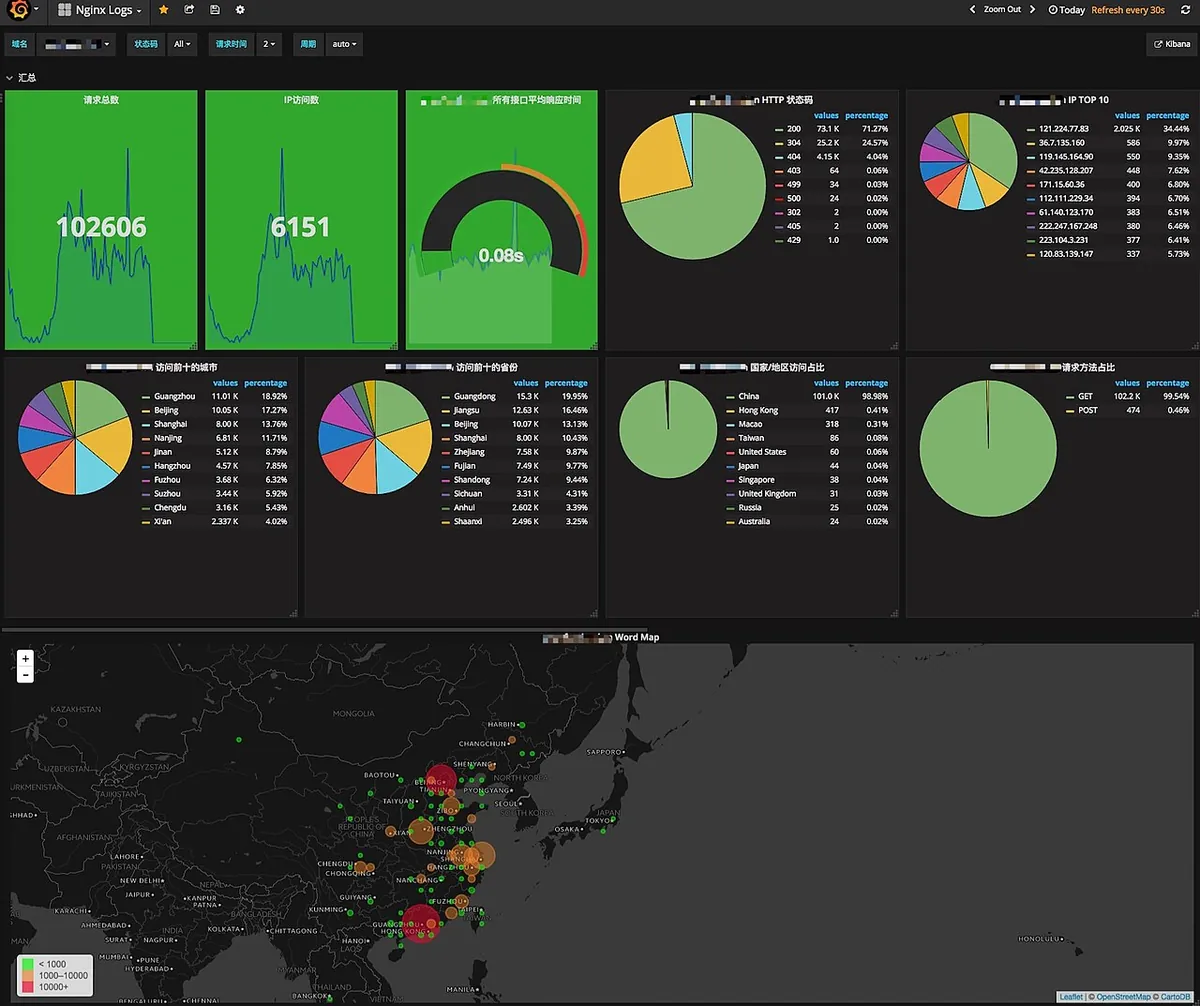
Ảnh: Shiunu, CC BY-SA 4.0 qua wikimedia (nguồn)
.jpg)
Bài học về chi phí: Bot traffic tốn tiền không?
Với Cloudflare Pages + Workers free tier:
- Bandwidth: miễn phí (unmetered)
- Workers requests: 100k/ngày free tier
- KV operations: 100k read, 1k write/ngày free tier
Bot storm 40k requests/2h = ~480k requests/ngày. Vượt free tier Workers requests. Nếu không có rate limit + edge cache HTML, tôi sẽ bị charge $5/million requests.
Chi phí thực tế sau mitigation: ~$0.02/ngày (chỉ KV writes cho rate limit counter).
Lesson learned: Free tier generous, nhưng bot traffic có thể đẩy bạn sang paid plan vô tình. Mitigation ở edge (cache + rate limit) bảo vệ cả UX và ví.
Trade-off đã làm và chưa làm
Đã làm:
- Rate limit theo fingerprint ở Workers level
- Edge cache HTML 5 phút với stale-while-revalidate
- Bot Fight Mode bật (không bật Super Bot Fight Mode để tránh false positive)
- Logpush + Athena + Grafana alert cho bot traffic ratio
- Custom metric
human_traffic_ratiocho dashboard
Chưa làm (và có thể không cần):
- WAF rule challenge (CAPTCHA/JS challenge) cho suspicious traffic: UX quá tệ cho reader thật
- Block bằng IP list: không hiệu quả với residential proxy
- Feed riêng cho bot (llms.txt, sitemap.xml tối ưu): đang cân nhắc, nhưng chưa thấy ROI rõ ràng
- Move sang Cloudflare Workers AI Gateway: overkill cho site tĩnh
Kết luận actionable
Nếu bạn chạy site tĩnh trên Cloudflare Pages (hoặc bất kỳ edge platform nào):
- Bật Bot Fight Mode ngay hôm nay. Free, zero-config, chặn được 60%+ bot cơ bản.
- Cache HTML ở edge. Đừng để mọi request HTML đều hit origin/Workers. 5 phút TTL + stale-while-revalidate là sweet spot cho content ít thay đổi.
- Rate limit API endpoints theo fingerprint, không phải IP. Dùng KV hoặc Durable Objects. Tham khảo code snippet ở trên.
- Instrument observability từ ngày 1. Logpush sang R2/S3, query bằng Athena/ClickHouse, alert trên bot traffic ratio. Đừng chờ lên HN mới setup.
- Định nghĩa metric “human traffic” riêng. User-agent parsing không đủ. Dùng cookie, JS challenge pass rate, behavioral signals.
- Test load với bot traffic giả lập. Dùng
heyhoặck6với user-agent pool của bot phổ biến. Xem cache hit rate, Workers CPU time, KV operations.
Lần sau lên HN (hoặc Reddit, hoặc được AI cite), bạn sẽ ngủ ngon vì edge đã handle xong hết. Team mình giờ đã có runbook: bot-storm.md trong repo, 5 phút activate full mitigation.
Tóm lại: Infrastructure đơn giản không có nghĩa là defenseless. Cloudflare edge network cho bạn tooling production-grade miễn phí. Chỉ cần config đúng, monitor đúng, và có runbook trước khi shit hits the fan.
Bạn đã từng bị bot storm chưa? Team bạn handle như thế nào? Comment chia sẻ để mình học hỏi lẫn nhau.